One clean popup shows categories, subcategories, and previews together
Page reloads slow shoppers down and break their flow
Browse Products, preview, and add to cart without ever leaving the popup
Mobile menus feel heavy and hard to use
Our popup feels like an app – fast, clear, and built for small screens
What SmartShop Menu Does
Give your customers a simple popup that makes shopping feel effortless - browse categories · jump into subcategories · preview products · add to cart in the same spot. Everything stays fast, smooth, and easy on any device.
It will take your store’s UI to the next level – simple, modern, and easy for everyone.
Floating Menu Button
It opens your product menu instantly. You can place it left, right, or top depending on your store layout.
Category Popup
The popup opens instantly with categories in a clean modern layout – giving customers a fast way to find what they need.
Subcategory/Product Expansion
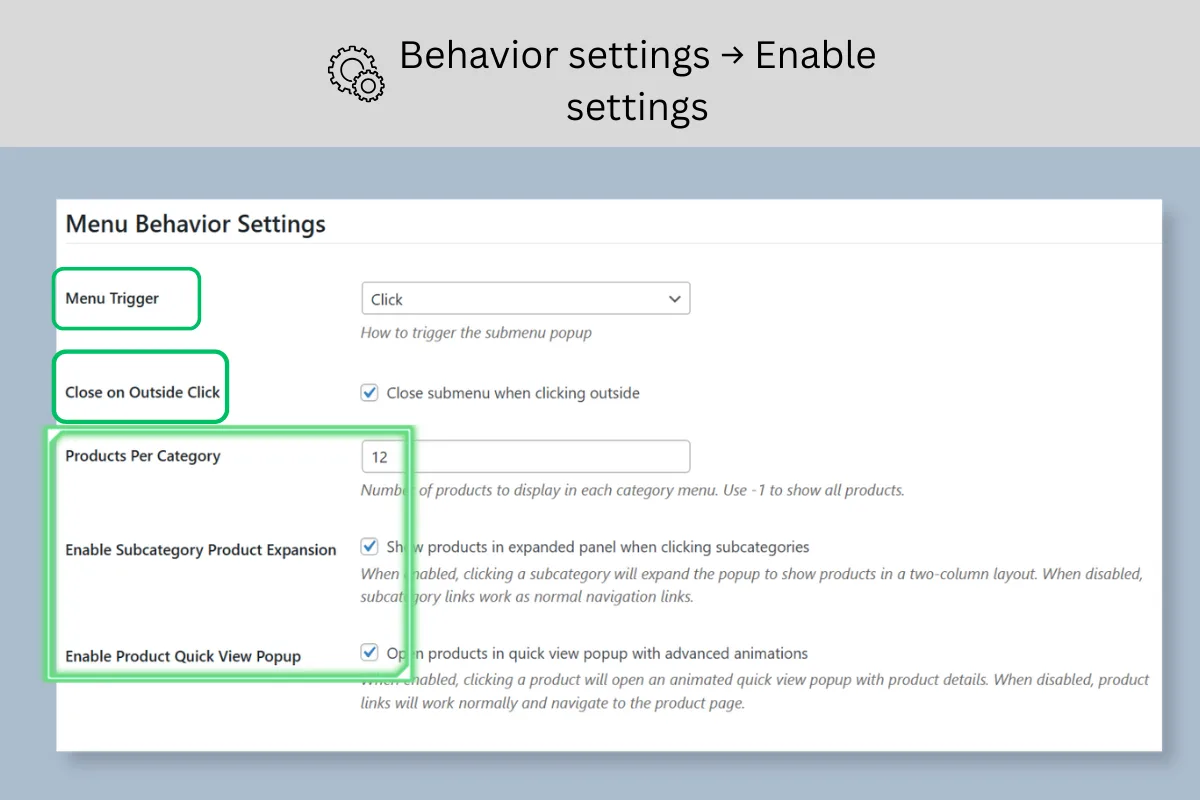
It expands left panel for subcategories while products load on the right, making browsing easier.
Product Preview Inside the Popup
Customers can view product images, price, SKU, and short descriptions – without opening a new page.
Fast Add-to-Cart
Shoppers can add products to their cart right from the quick view.
Lightweight & Fast
SmartShop Menu uses lazy loading and smart caching to keep everything quick and smooth, even with many categories or products.
Setup Is Easy
Install & activate the plugin.
Go to MetaAffinity Menu → Settings.
Enable the categories you want and set the button position (Left / Right / Top).
Save — the menu appears on your store.
Your setup takes less than a minute – no coding needed.
Admin Panel Features
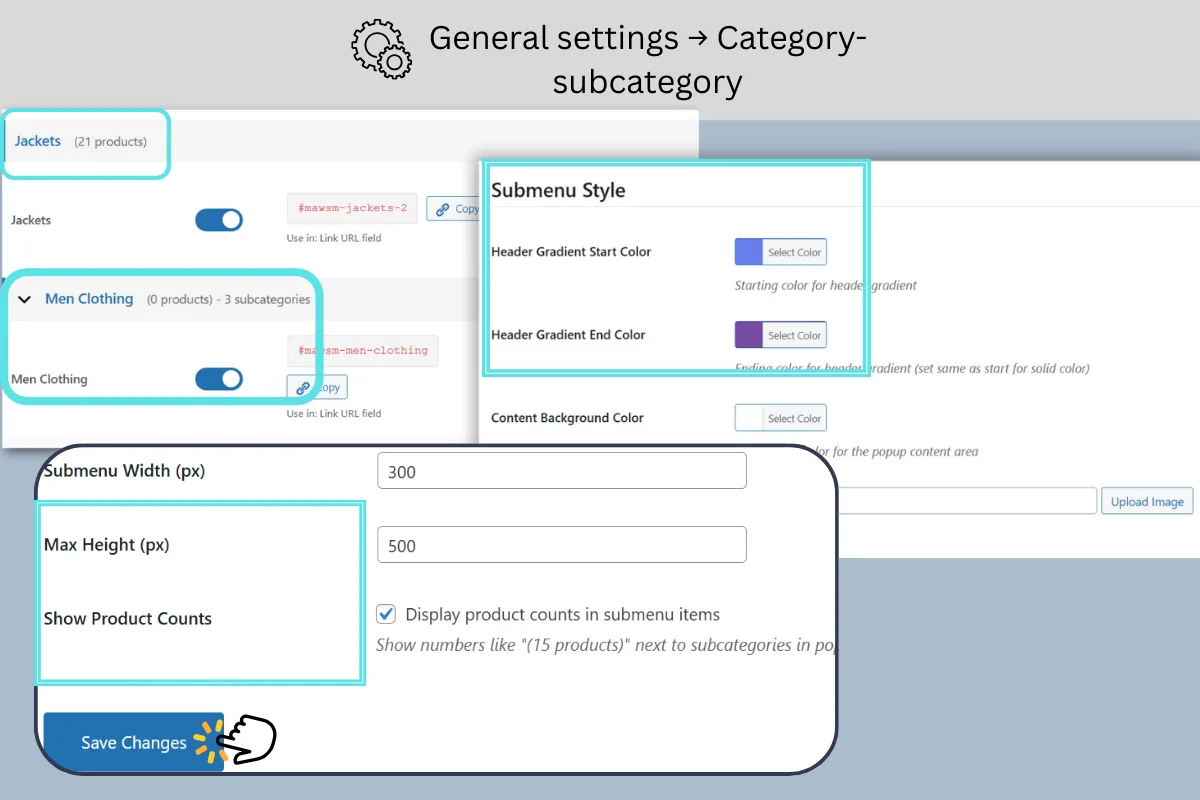
General Settings
enable categories, products per category, menu style.
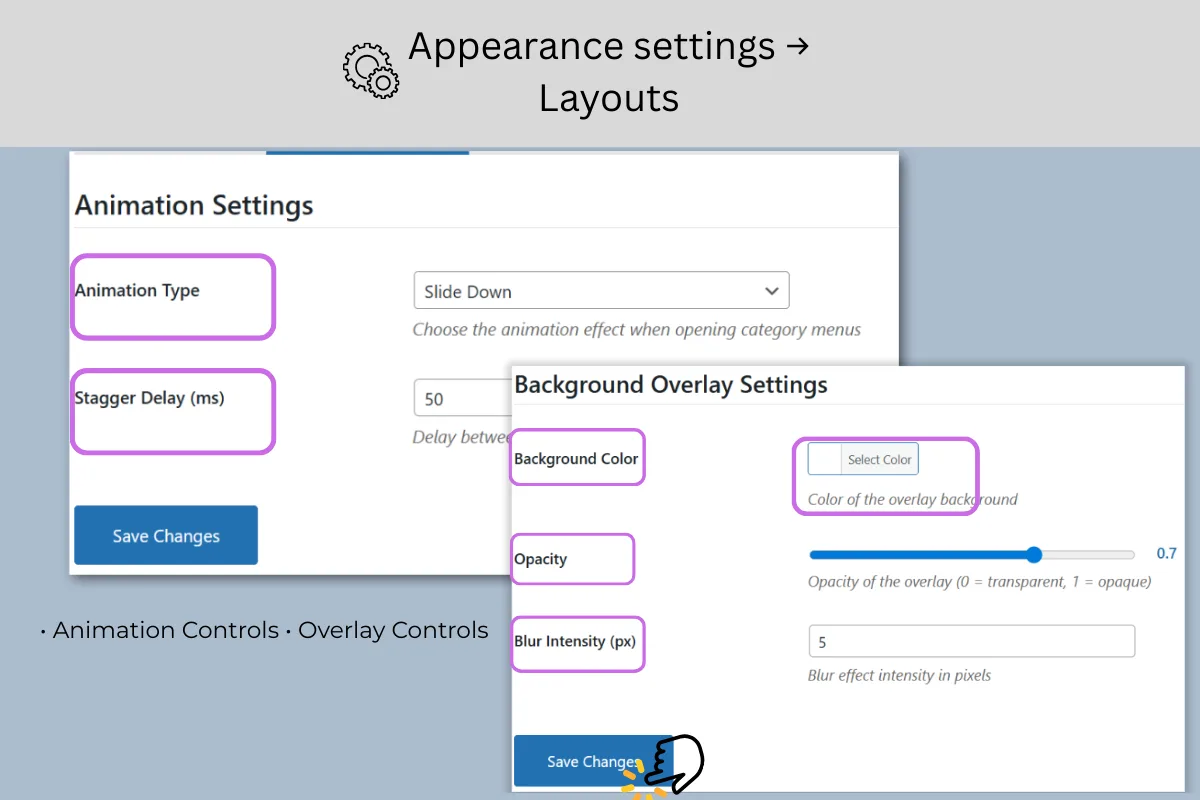
Appearance Settings
Control your popup’s look - smooth animations, clean backgrounds, and simple layout tweaks.